idlepay Review: get paid while your AI thinks
idlepay is a free VS Code, Cursor and terminal extension that turns your AI’s wait time into passive income. When the assistant is thinking, the spinner shows one short sponsored line — and you keep 50% of what advertisers pay. We installed it, tested it, and here’s the honest verdict.
- Free forever
- No card required
- ~30s to install
- Cash out from $10
› refactor auth to use JWT
The whole idea, in one line
◐ Thinking…
becomes ↓
◐ Sponsored: ship faster with Acme CI — idlepay
The spinner was going to spin anyway. Now it pays.
Verdict A genuinely clever, low-effort way to earn a little passive income from dead time you were already burning. Not a get-rich scheme, but the privacy model is unusually clean and there is zero downside to trying it.
- Best forDevelopers who use AI assistants (Claude Code, Cursor, Copilot) all day
- CostFree forever — no card, no subscription
- You earn50% of every genuine ad impression, paid via Stripe from $10
- RiskVery low — no code, file, terminal or environment access
What is idlepay?
Every time you ask an AI assistant to write or refactor code, there is a pause. The model thinks; a spinner spins; you wait a few seconds. Multiply that by hundreds of prompts a day and you are staring at a surprising amount of idle time.
idlepay monetizes exactly that dead time. It is a lightweight extension for VS Code, Cursor and terminal-native tools like Claude Code and opencode. While your assistant is genuinely working, it quietly replaces the spinner’s "thinking" verb with a single sponsored line of text (60 characters max). Advertisers pay for that attention, and idlepay splits the revenue with you 50/50.
The pitch is refreshingly honest: "found money on dead time." You do not change how you work, you do not see pop-ups, and nothing happens unless the AI is actually busy.
See idlepay for yourself
Real, verifiable screenshots from idlepay’s own official channels — nothing staged.
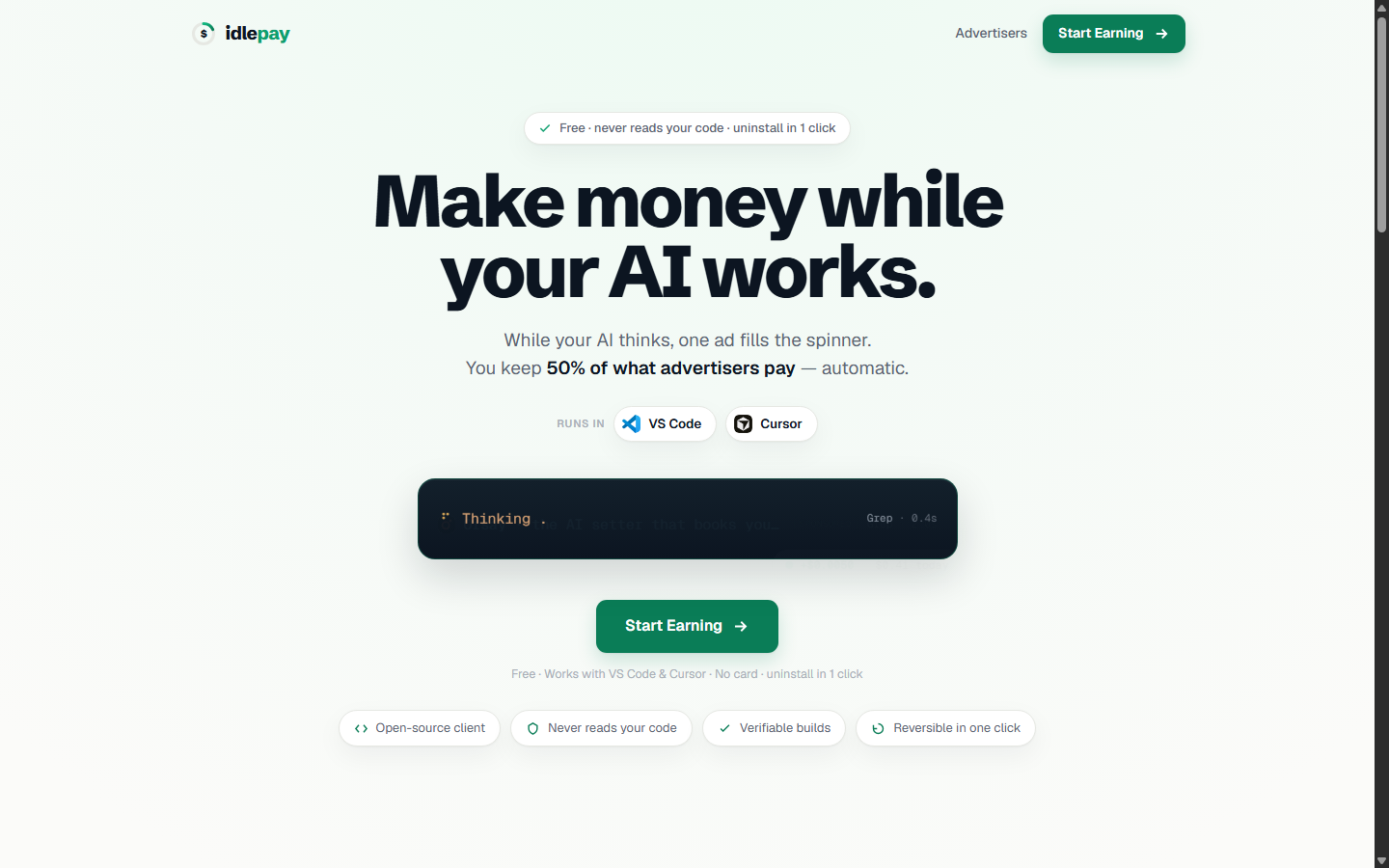
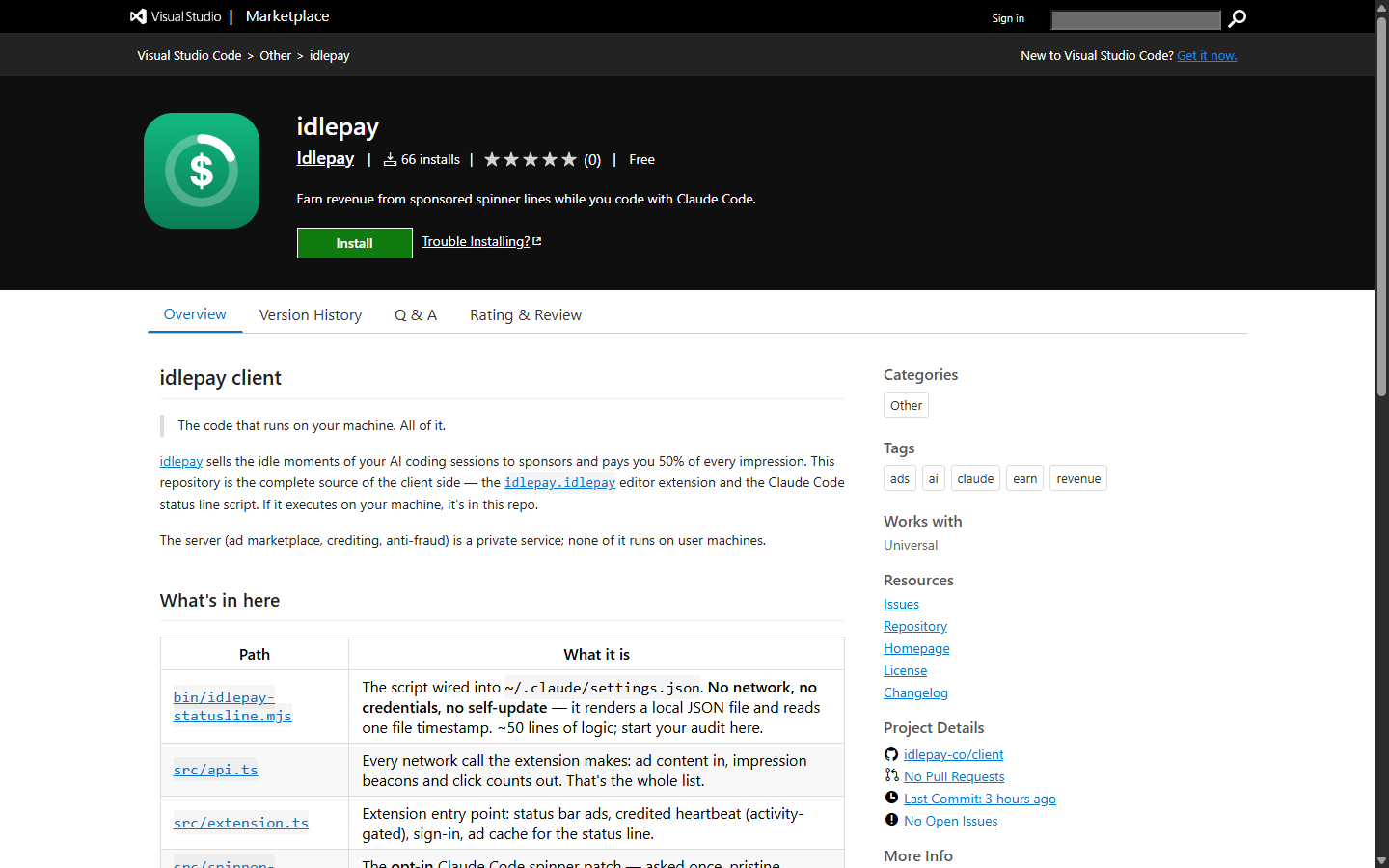
Sources: idlepay.co and the Visual Studio Code Marketplace, captured July 2026.
How it works
Install in ~30 seconds
Add the extension from the VS Code / Cursor marketplace, or link your terminal tool. No account creation friction and no credit card — you just sign in once.
Code exactly like before
Keep prompting your AI as usual. Whenever it enters a genuine wait state, one sponsored line takes the spinner’s place. No wait, no ad — idlepay never manufactures delays to serve more.
Get paid
You earn on every genuine impression, tracked live in your status bar. Once your balance passes $10, cash out through Stripe. That is the entire loop.
Is idlepay safe?
This is where idlepay earned most of our trust. For a tool that lives inside your editor, the permission model is deliberately minimal — and that matters more than any earnings number.
No code or file access
The extension cannot read your source, your workspace or any files. It only swaps the spinner verb.
No terminal or environment access
It cannot see your terminal output, environment variables or secrets. It is a status-bar item, nothing more.
A single network origin
Network access is locked to one allowed endpoint — it cannot phone home to anywhere else.
Uninstall in one click
Remove it any time and your editor returns to exactly how it was. No residue, no lock-in.
It is open about being ad-supported, and the ads are text-only, ≤60 characters, shown only during real waits. That is about as unintrusive as advertising gets.
How much can you actually earn?
Let us set expectations honestly: idlepay will not replace your salary. Earnings scale with how much you use AI and how much advertisers currently bid, so figures vary. Heavy AI users who prompt all day will accumulate far more impressions than someone who opens their editor twice a week.
The economics are simple and transparent: you keep 50% of every impression, it is tracked in real time in your status bar, and you withdraw via Stripe once you cross $10. There is no lock-up, no points system and no fuzzy "credits" — just a cash balance.
+Pros
- Completely free — no card, no subscription
- Excellent privacy model: no code, file, terminal or env access
- Truly passive — earns from time you already waste
- Non-intrusive: one text line, only during real waits
- Transparent 50% split, real cash, $10 payout via Stripe
- Uninstall cleanly in one click
−Cons
- Earnings are modest — this is beer money, not income
- Only worth it if you use AI assistants heavily
- You are looking at ads (text-only, but still ads)
- Payout depends on advertiser demand, which can vary
idlepay does something we rarely see: it finds real value in something everyone was throwing away. The wait between prompts was pure waste; now it quietly pays. Because the extension has no access to your code, files or terminal, the trade-off is almost entirely upside.
Do not install it expecting to quit your job — it is beer-money, not a salary. But for a heavy AI user, it is free, private, invisible until it pays, and removable in one click. There is simply no reason not to let your idle spinner earn.
Frequently asked questions
Is idlepay legit?+
Yes. It is a real, working extension with a transparent 50% revenue share and Stripe payouts from $10. The permission model is unusually restrictive — it cannot access your code, files or terminal — which is a strong signal of a legitimate, privacy-respecting tool.
Is idlepay safe to install?+
It is one of the safer extensions you can install. It has no filesystem, workspace, terminal or environment access, uses a single allowed network origin, and only replaces the spinner’s text. You can uninstall it in one click with no residue.
How much money can I make with idlepay?+
It depends on how much you use AI assistants and current advertiser demand. It is best thought of as passive "beer money" that accumulates from wait time you were already spending — not a replacement for income.
Does idlepay cost anything?+
No. idlepay is free forever. There is no subscription and no credit card required — you sign in once and start earning.
How do I get paid?+
You keep 50% of every genuine ad impression, tracked live in your status bar. Once your balance passes $10, you cash out through Stripe.
Will idlepay slow down or interrupt my coding?+
No. It only swaps the spinner verb during genuine wait states — it never manufactures delays to show more ads. Your workflow is unchanged.
Ready to let your idle time pay?
Installing takes about 30 seconds, costs nothing and carries almost no risk. Your spinner is going to spin anyway.
Start earning with idlepay →Free · No card required · Uninstall anytime